Report incidents
Capture incidents in a consistent format so the right details are recorded early, instead of being scattered across messages and handwritten notes.

Health and safety software for NZ and AU teams
Report workplace incidents and near misses, assign corrective actions, and track evidence and activity history in one shared workspace.
Built for New Zealand and Australian businesses moving beyond spreadsheets, paper forms, and scattered email follow-ups.
Now live for NZ and AU teams. Start a 14-day trial with up to 20 users. No card required.
Core workflow
WorkGuard keeps the process visible from first report through to closed actions, without forcing teams into a heavyweight safety system.
Capture incidents in a consistent format so the right details are recorded early, instead of being scattered across messages and handwritten notes.
Turn follow-up into owned work with responsible people, due dates, and clear next steps.
See what is open, overdue, or complete without relying on memory or chasing status updates by email.
Maintain a defensible record of what happened, who did what, and when changes were made.
Product
The product is designed for small to mid-sized teams that need clarity, accountability, and a defensible audit trail without adding admin overhead.
Record incidents and near misses with dates, locations, reporters, severity, and supporting evidence.
Create actions from incidents, assign owners, add due dates, and keep closure visible.
Track updates over time so the record reflects how the issue was managed and resolved.
Keep supporting files and reference material attached to the relevant incident or action.
Give different people the access they need without exposing every record to every user.
Keep your company records together in a dedicated workspace with controlled access.
Who it's for
WorkGuard is aimed at organisations that need a practical starting point, not a complex enterprise rollout.
Useful for teams that need a clearer operating rhythm around incidents, actions, and overdue follow-up.
A practical place to keep records tidy without maintaining another sprawling spreadsheet.
Provides more visibility than paper or email without committing to an oversized software stack.
Benefits
The point is not to add another system. It is to stop incidents and actions disappearing into whatever tool happened to be used that day.
Replace ad hoc updates and duplicate entry with a single shared workflow the team can actually follow.
Actions are harder to lose when owners, due dates, and progress all sit in the same record.
When someone asks what happened and what changed, the history is already there.
Product view
Explore the incident register, action tracking, and activity history your team can use in WorkGuard.
WorkGuard screen
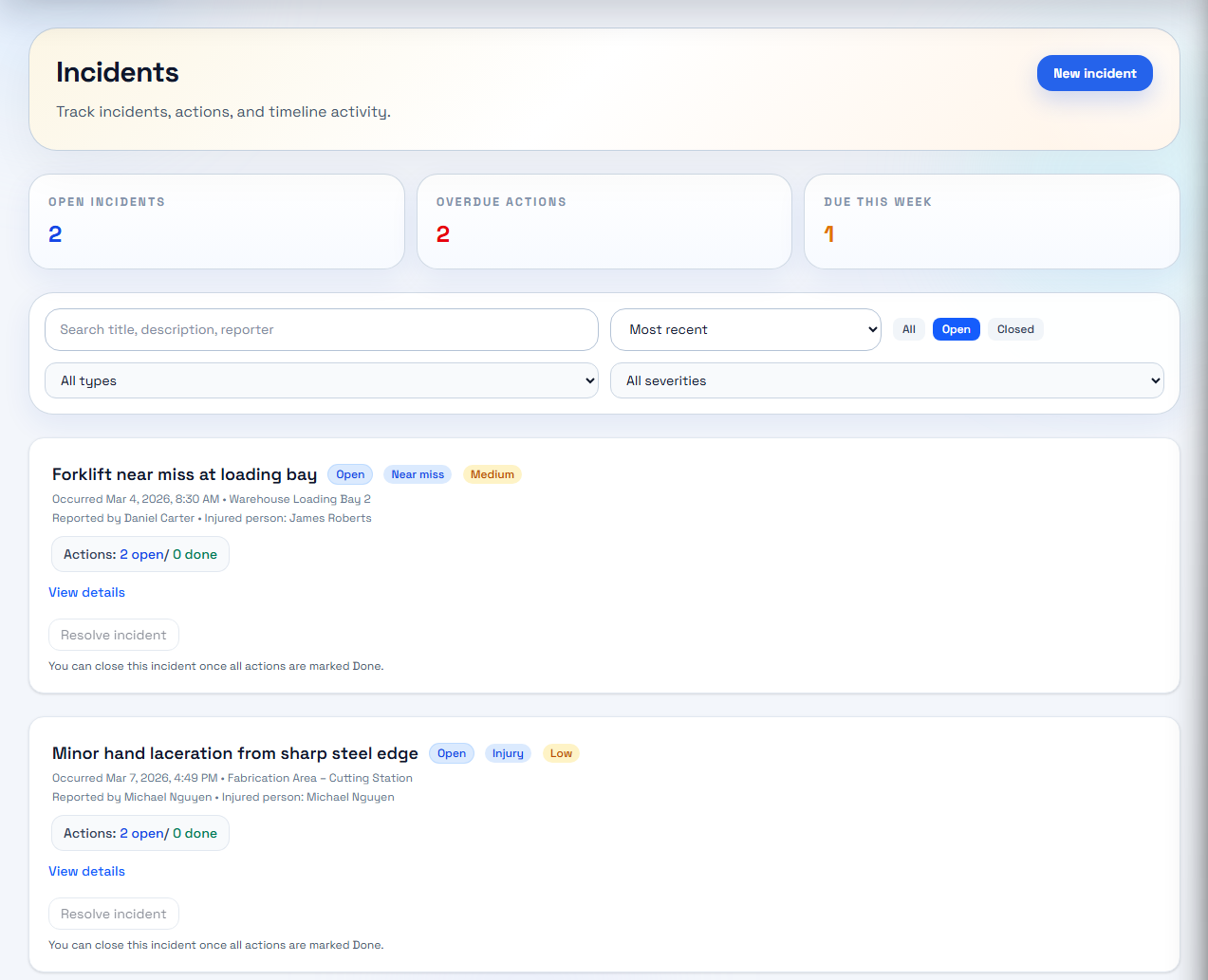
Review incidents, severity, and open actions in one place.
A clean register view gives teams one place to review open incidents, severity, and current status.
WorkGuard screen
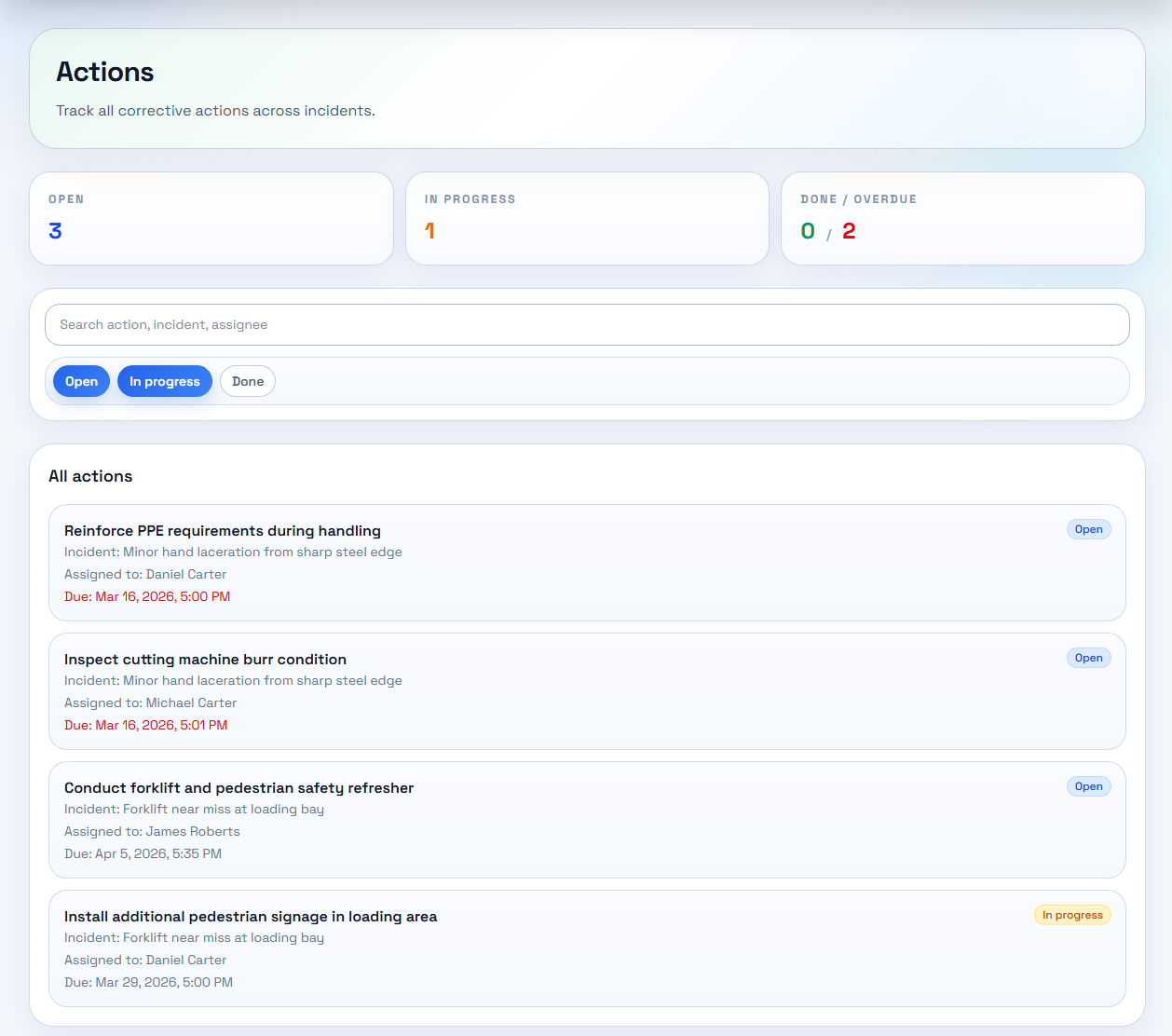
Assign owners, due dates, and track progress without chasing updates.
Actions stay visible with clear owners, due dates, and overdue follow-up that does not rely on memory.
WorkGuard screen
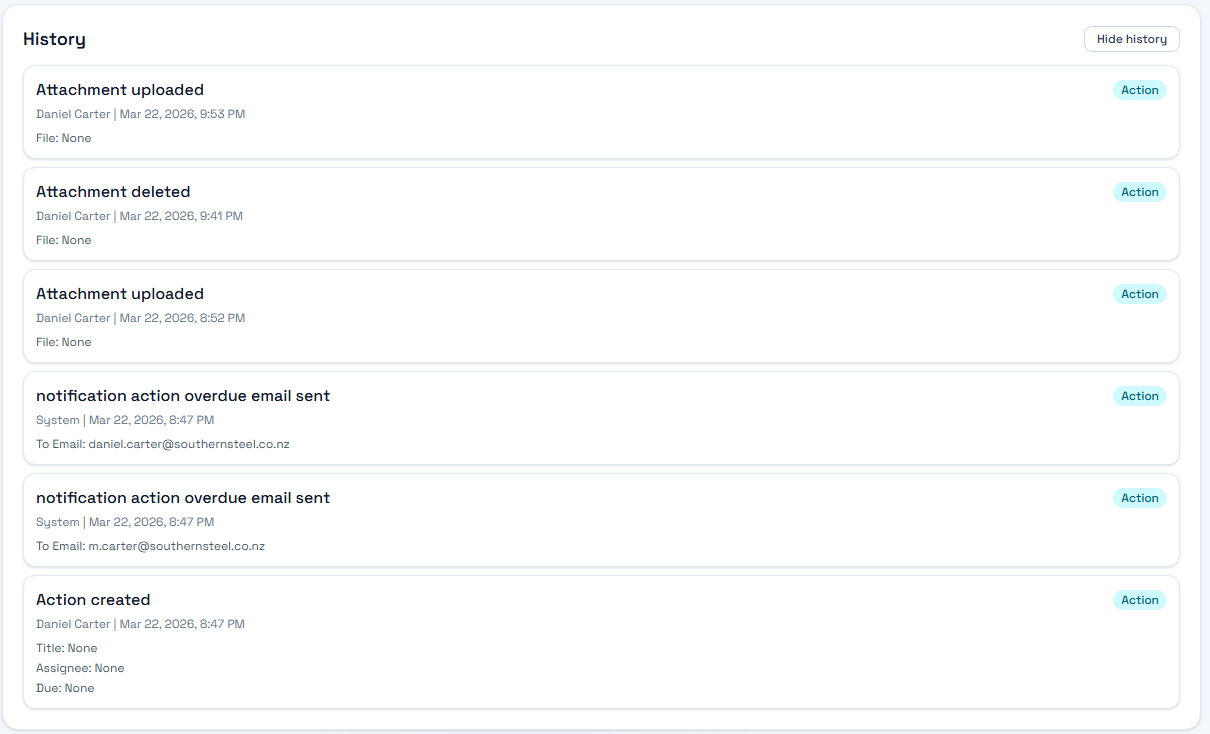
See every update and attachment in a complete activity log.
Each record keeps a usable trail of updates, decisions, and supporting files.
Why switch now
WorkGuard is for teams that already know the weak point in their process: follow-up becomes manual, ownership gets fuzzy, and records are harder to trust later.
Manual processes usually break after the first report. Actions drift into inboxes, side conversations, and separate trackers.
If nobody can quickly see who owns the next step, work stalls and status chasing takes over.
When records live in multiple places, proving what happened later becomes slower, harder, and less reliable.
Pricing
Start with a 14-day trial for up to 20 users. Starter and Team subscriptions are invoiced manually; no card is required to start your trial.
Starter
For very small teams getting off spreadsheets.
Team
For growing businesses that need clearer accountability.
Business
For larger teams with tailored user limits and rollout needs.
FAQ
Learn how trials, subscriptions, and onboarding work.
WorkGuard is designed for small to mid-sized teams. Larger teams can contact us about a Business plan with agreed user limits.
Yes. WorkGuard brings incident reporting, corrective actions, attachments, and history into one shared workspace.
New company workspaces receive a 14-day trial with up to 20 users. No card is required. After the trial, Starter supports 5 active users at NZ$49/month and Team supports 20 at NZ$129/month. Pending invitations reserve user places.
Subscriptions are invoiced manually. Contact WorkGuard to arrange payment; paid access is updated after payment is received. The app does not automatically charge a card. You can also request a demo before signing up.
Talk to us
Request a demo, discuss a larger team, or ask for help getting started. Ready to try it? Sign up and create your company workspace today.
Prefer email? .