
WorkGuard product
Keep corrective actions moving from assignment to closure
An incident report is only the starting point. Follow-up can drift when the owner, deadline and progress are spread across inboxes. WorkGuard keeps corrective actions visible alongside the incident that prompted them.
Give each action an owner and a due date
Describe the work that needs to happen, assign a responsible person and set a deadline. A specific action is easier to complete and review than a general instruction to improve safety.
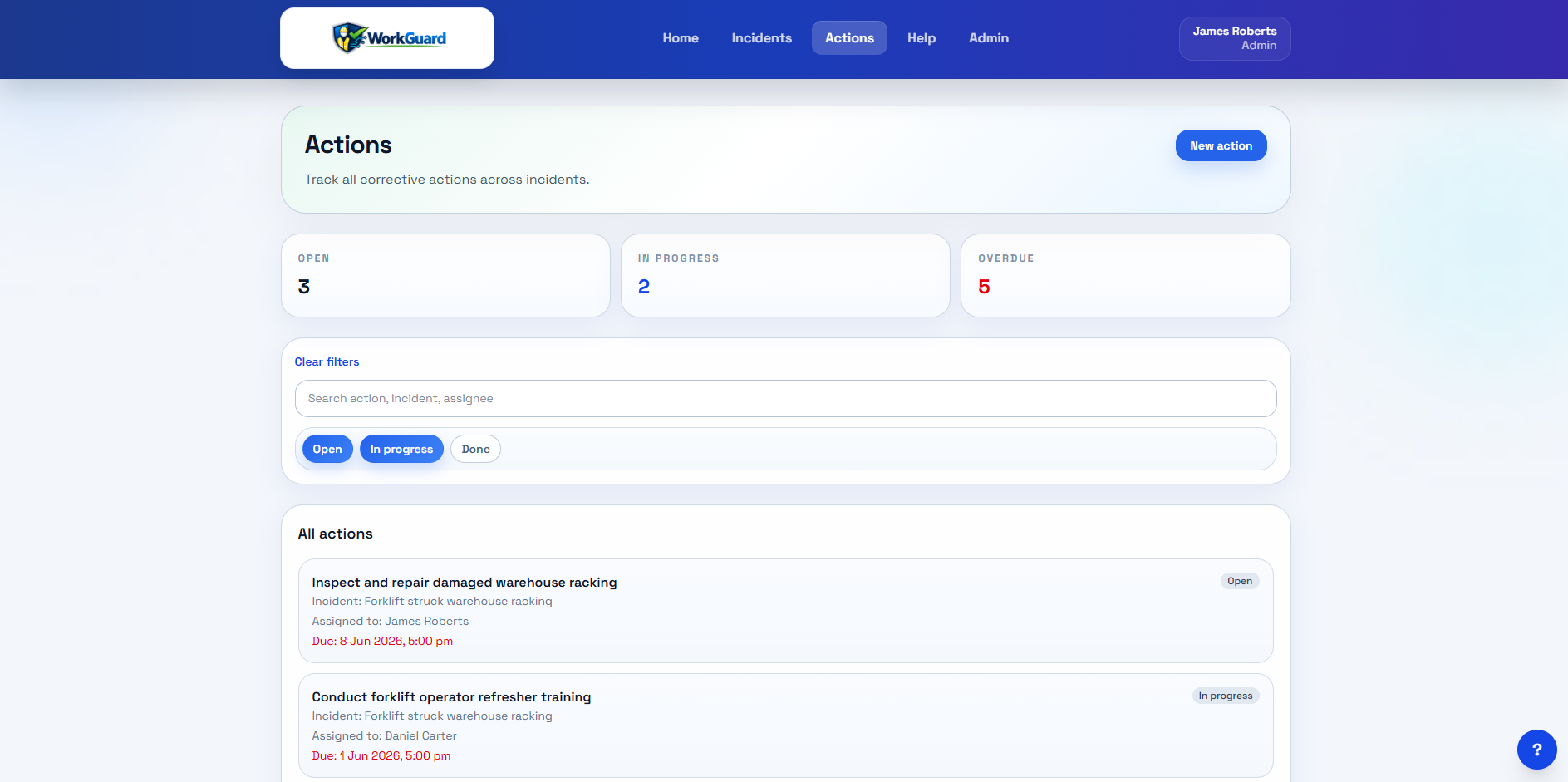
Review what is open, overdue or complete
Use the action register to see status and due dates. Review outstanding work with the responsible people so delays have a visible next step instead of becoming another email thread.
Keep supporting evidence and history
Maintain supporting files and activity history with the relevant record. This helps a reviewer understand the work performed and how the record changed over time.
Example: replacing an unclear follow-up
Instead of recording only “fix storage”, describe the agreed task, assign the responsible person and set its due date. Record the outcome when the work is complete, then review whether any further action is needed. This example describes a working practice rather than an automated verification feature.
Try the workflow with your team
Start a 14-day trial for up to 20 users. No card is required. Starter is NZ$49/month for up to 5 active users; Team is NZ$129/month for up to 20. Subscriptions are invoiced manually.